


Play971 App: Mobile Access in the UAE
Mobile access is part of the Play971 service, but there is an important distinction between confirmed mobile support and assumptions about how an application is distributed. The current Terms refer to both the web service and a mobile application, confirming that users can interact with the platform beyond a desktop environment. However, the public material reviewed for this guide does not establish one universal Android APK, Google Play listing, iOS App Store page, or Progressive Web App installation route.
That difference matters. A native application, a mobile browser, and a home-screen web shortcut can look very similar once opened, yet they use different installation and security models. Users should therefore follow the mobile option currently presented through Play971 rather than download software simply because a third-party page uses the correct branding.
Play971 is operated by Coin Technology Projects LLC, which the General Commercial Gaming Regulatory Authority currently lists as both an Internet Gaming Licensee and a Sports Wagering Licensee. The registration interface also states that users must be at least 21 years old and that individuals from restricted jurisdictions are not permitted to use the platform.
Users should independently confirm whether online casino or sports wagering is permitted in the jurisdiction from which they are registering, depositing, or playing.
Official Mobile Options
The safest confirmed mobile route is to access the Play971 environment itself. The service is designed around internet gaming and sports wagering that can be used through digital devices, while its terms specifically recognize a mobile application as part of the platform.
What cannot currently be confirmed from the public documentation is whether every user receives the same native application or whether installation options vary according to operating system, device, or location. No current official public page located during this review provides a permanent APK address, Google Play procedure, App Store installation page, or verified PWA setup.
| Mobile format | Current public status | Recommended approach |
| Mobile browser | Supported through the online service | Use an updated browser and verified access point |
| Mobile application | Explicitly referenced in current terms | Follow the option presented by Play971 |
| Android APK | No current public download route confirmed | Avoid third-party APK catalogues |
| iOS native app | No current public App Store route confirmed | Check the live mobile interface |
| PWA | No current public PWA instructions confirmed | Treat as available only if Play971 presents it |
Mobile use does not require a separate identity. The registration flow states that the user’s email address becomes the login credential, so moving from a computer to a smartphone does not itself create a reason to open another profile.
Before installing anything, confirm which mobile option Play971 is actually presenting to your device at that moment.
How to Download the App Safely
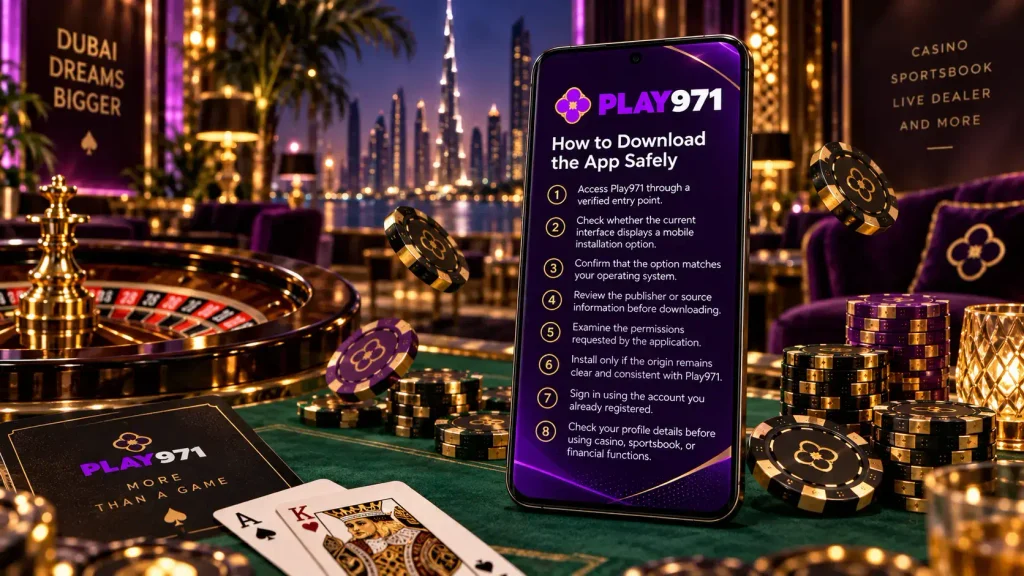
A secure installation starts with the source, not the filename. An application can display a genuine-looking logo and still come from an unrelated distributor. Casino-branded APK pages, messaging links, and unofficial download mirrors should therefore not be treated as evidence that a file belongs to Play971.
The current public Terms confirm a mobile application, but they do not provide a fixed universal download sequence. This means instructions such as “enable unknown sources and install this file” should only be followed when Play971 itself currently presents that route.
A cautious installation process is
- Access Play971 through a verified entry point.
- Check whether the current interface displays a mobile installation option.
- Confirm that the option matches your operating system.
- Review the publisher or source information before downloading.
- Examine the permissions requested by the application.
- Install only if the origin remains clear and consistent with Play971.
- Sign in using the account you already registered.
- Check your profile details before using casino, sportsbook, or financial functions.
If no verified application option appears, browser access is a reasonable alternative. There is no practical advantage in replacing a confirmed mobile browser session with an unknown installation file.
Play971’s terms also contain dedicated provisions dealing with viruses, phishing, and scammers, which makes source verification especially relevant when downloading software.
Use the mobile method currently offered by Play971 rather than searching for an “alternative” installer elsewhere.
Android, iOS, and PWA Access
Android deserves particular care because the operating system can support direct installation packages. An APK is simply an Android package format; the term alone says nothing about whether the file is authentic.
The current public Play971 documentation does not confirm a specific standalone APK or Google Play route. Therefore, an Android user should not assume that a file found through a search engine is official. If Play971 presents a verified Android installation option directly, follow the instructions shown there and review any security permissions before proceeding.
The same principle applies to iPhone and iPad. APK files are incompatible with iOS, and the public material reviewed for this guide does not establish a permanent App Store listing. Apple users should rely on the mobile format currently displayed by Play971 rather than install certificates, profiles, or packages supplied by unrelated sites.
A Progressive Web App is different from a native app. A PWA uses web technology but can open from a home-screen icon and resemble a native application. The background material supplied for this article describes a Play971 PWA; however, no current public official page confirming that specific setup or an “Add to Home Screen” procedure was found during verification.
That means PWA access should be described as confirmed only when the current Play971 interface offers it.
If the installation format is unclear, browser access avoids much of this uncertainty.
Using Sportsbook and Casino on Mobile
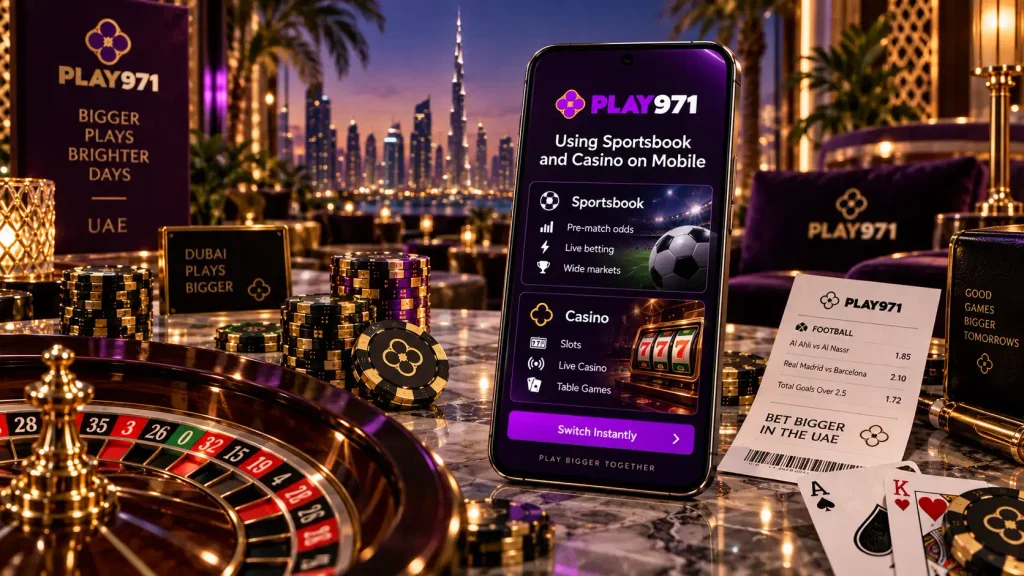
Play971 publicly confirms both sports wagering and internet gaming. The service includes local and international sports and racing events alongside online casino and live casino products. Its interface also exposes sports navigation such as Highlights, Schedule, and MultiMaker, while casino games can be searched through the wider platform interface.
On mobile, these products stay connected to the same account. A user can move between supported gaming areas without needing a separate casino-only or sportsbook-only profile. The specific events, markets, games, and tables are dynamic, so availability should always be checked in the live interface.
Mobile screens do introduce practical differences. A sports bet slip occupies less space, which makes reviewing the selected event, odds, and stake particularly important. Live casino depends more heavily on connection stability because the interface can include continuous video alongside betting controls.
Play971’s current terms also state that users are expected to understand the specific game rules governing the sportsbook and internet games they choose. The device does not change those rules.
For a stable mobile session:
- keep the operating system and browser updated;
- use a protected device with a screen lock;
- review bets and stake values before confirmation;
- use a reliable connection for live products;
- avoid leaving an authenticated account open on a shared device;
- Do not assume mobile access changes odds, RTP, or winning probability.
The mobile format improves convenience. It does not change the uncertainty inherent in gambling.
Before placing a wager, review the current game or market conditions on your screen.
Geolocation and Device Permissions
Geolocation is one of the clearest confirmed access requirements. Play971 currently tells customers that they must enable location so the system can determine whether they are playing from a permitted location. The notice is visible on registration, the sportsbook, and other public areas of the platform.
For mobile users, this means device permissions can directly affect access. A correct email and password may still be insufficient if the phone or browser prevents the location check from completing.
Location permission should be treated differently from unrelated permissions. Play971 has a clear operational reason to request location because its service applies geographic restrictions. By contrast, an application requesting unusual access unrelated to gaming, account management, or normal device operation deserves additional scrutiny.
If geolocation does not work, check device location services first. Then confirm that the browser or verified application is allowed to use them. Updating the operating system or restarting the session may also resolve ordinary permission problems.
Do not attempt to bypass a restricted location with a modified application, false GPS data, or another account. The GCGRA states that commercial gaming in the UAE must operate through licensed channels, while Play971 explicitly excludes users from restricted jurisdictions.
If a legitimate location is still rejected, use recognized support instead of trying to defeat the restriction.
Updates and Troubleshooting
Most mobile problems have fairly ordinary causes. A blank screen may be related to an outdated browser. An incorrect email or password may be the cause of a login failure. Location access may have been disabled after an operating-system update. A live game may struggle because the connection is unstable.
Play971’s current registration page states that the email address entered during sign-up is used as the login credential. If the app or mobile page opens but the profile does not, check that address carefully before repeatedly changing other settings.
A sensible troubleshooting sequence is to restart the session, confirm the network connection, update the browser or operating system, verify location permissions, and check the account credentials. If those measures do not help, recognized support is the appropriate next step. Play971 currently lists Live Chat and a support email among its help options.
Avoid downloading a different APK from a forum simply because the first installation did not work. Likewise, do not permanently disable device security or grant remote access to someone claiming they can “fix” the application.
Software updates should come through the same verified channel used for installation. If the source suddenly changes or a message asks for unusual permissions, stop and verify it before continuing.
Mobile access can also make gambling available with very little friction, so personal controls matter. The GCGRA regulates internet gaming conducted through computers, mobile phones, and other digital devices and places licensed gaming within a player-protection framework.
Set a defined entertainment budget and a session limit before playing. Do not increase spending to recover losses, and use player controls when additional restrictions are needed.
The safest approach to Play971 mobile access is straightforward: use the current verified mobile option, keep the device secure, allow only relevant permissions, and treat gambling as paid entertainment rather than a source of income.